¶ Firmware 1.2.3.63 Klipper Configuration Protection Issue Fix
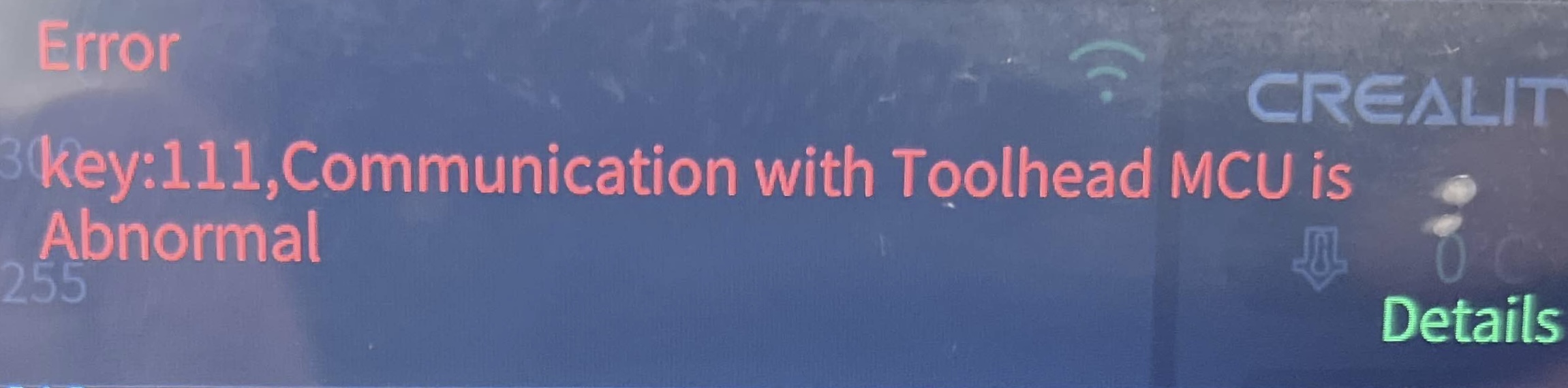
This guide explains how to resolve communication errors caused by firmware 1.2.3.63 blocking automatic Klipper configuration changes using the Creality Helper Script.
Cause of the Issue
Firmware 1.2.3.63 enables a protection system that blocks automatic changes to Klipper configuration files.
This may result in communication errors between the nozzle MCU and the main system.
-
Open your printer interface (Fluidd / Mainsail)
- Make sure your printer and Raspberry Pi / control system are powered on
- Connect your computer to the same network as the printer
- Open a browser
- Enter your printer’s IP address to access Fluidd or Mainsail
-
Access SSH (Terminal connection)
- Open a terminal program
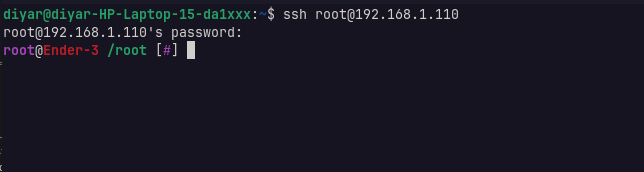
- Connect to your printer system via SSH using its IP address
- Log in with your username and password
- Install Creality Helper Script (if not installed)
If the Helper Script is NOT installed, run the following command:
git clone --depth 1 https://github.com/Guilouz/Creality-Helper-Script.git /usr/data/helper-script
After installation, proceed to the next step.
- Open Creality Helper Script
If the Helper Script is already installed, run:
sh /usr/data/helper-script/helper.sh
The main menu will appear.
5. Apply “Prevent Klipper Configuration Updates”
After opening the Creality Helper Script:
1. From the main menu, press:
5
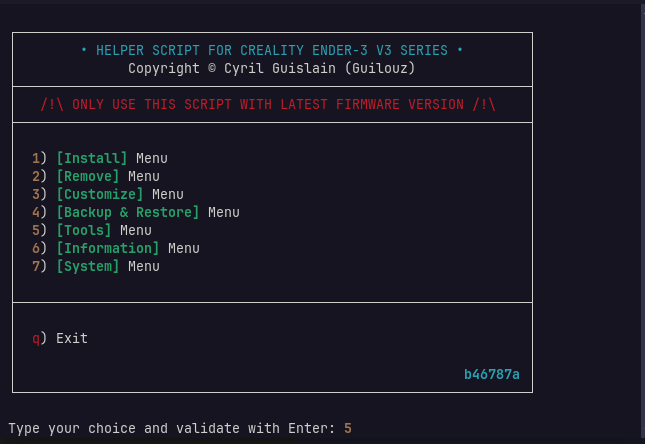
Then press Enter
👉 This will take you to the Tools Menu
- Go to Prevent Section
Inside the Tools Menu:- Press:
1
Then press Enter
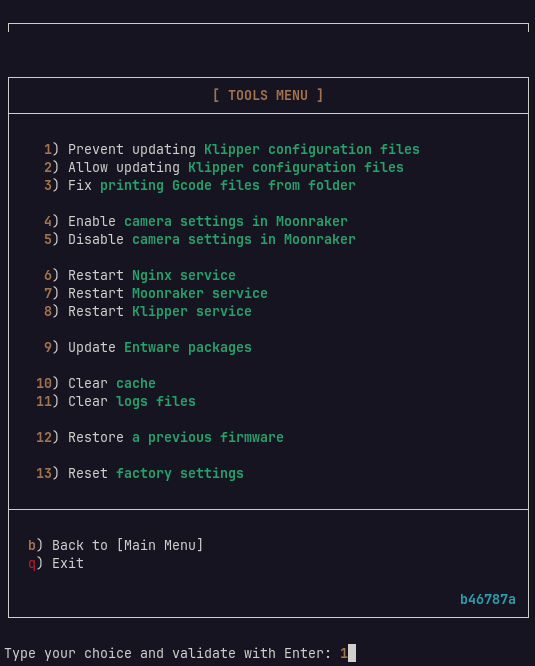
This selects:
Prevent updating Klipper configuration files
7. Reboot the System
1. Restart the printer completely
2. Wait for full boot-up
-
Update printer.cfg
- Open Fluidd interface
- Locate printer.cfg
- Replace it with the correct configuration file for your printer model
- Save the file
-
Final Check
• Reboot the printer again
• Verify if the nozzle MCU error is resolved
• If the issue persists, check logs or configuration again